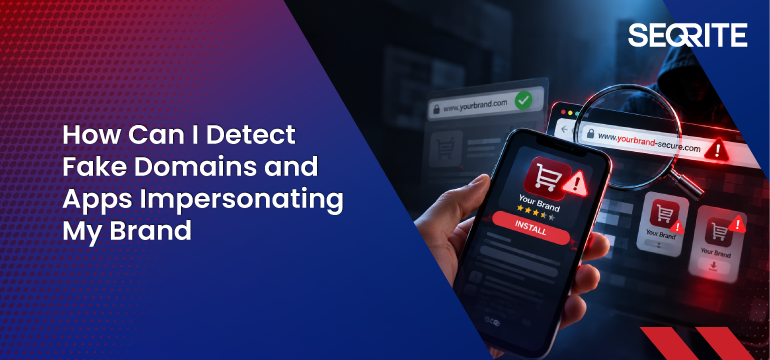

Your customers recognize your brand by its name, logo, website, mobile apps, and digital presence. Cybercriminals exploit this trust by creating fake domains, websites, and malicious apps that closely resemble legitimate brands.
A fake website may differ from the real domain by just one character. A malicious mobile app may copy the company’s logo and interface. To an unsuspecting customer, both can appear legitimate.
These impersonation attacks can be used to steal login credentials, collect payment information, distribute malware, conduct financial fraud, or launch phishing campaigns. The consequences extend beyond individual victims—they can damage customer trust and the reputation of the impersonated organization.
Detecting these threats early has therefore become an important part of protecting a company’s digital presence.
What Is Brand Impersonation?
Brand impersonation is a cyberattack in which threat actors imitate a legitimate company’s identity to deceive its customers, employees, partners, or other stakeholders.
Attackers may copy a company’s:
- Brand name
- Logo and visual identity
- Website design
- Domain name
- Mobile application
- Social media presence
- Email templates
- Product or service information
The objective is to make fraudulent content appear authentic enough that users trust it and take an action—such as entering credentials, downloading an application, sharing sensitive information, or making a payment.
Unlike attacks targeting only an organization’s internal network, brand impersonation frequently occurs outside the traditional security perimeter. This makes these threats difficult to detect using endpoint or network security tools alone.
How Do Fake Domains and Apps Impersonate Your Brand?
Cybercriminals use several techniques to make fraudulent domains and applications look legitimate.
1. Typosquatting
Attackers register domain names that contain small spelling changes to a legitimate domain.
For example, if a company’s website is example.com, attackers might register variations that replace, remove, or add a character.
Users who quickly glance at the URL may not notice the difference.
2. Lookalike Domains
Attackers can register domains that include legitimate brand names combined with convincing terms such as “login,” “support,” “secure,” “verify,” or “account.”
These domains may then host websites designed to replicate the real company’s login or payment pages.
3. Homograph Attacks
Some characters from different writing systems can visually resemble Latin letters. Attackers can exploit these similarities to create domains that appear almost identical to legitimate ones.
This can make fraudulent URLs particularly difficult for users to identify visually.
4. Website Cloning
Cybercriminals can copy the design, logo, images, product information, and interface of a legitimate website.
The cloned website may appear authentic while secretly capturing usernames, passwords, card details, or other sensitive information entered by visitors.
5. Fake Mobile Apps
Attackers may create applications that imitate legitimate banking, retail, financial, gaming, or enterprise applications.
These apps can copy the organization’s name, logo, screenshots, and interface. Once installed, they may steal credentials, collect personal information, intercept communications, display fraudulent payment pages, or install additional malware.
6. Fake Promotions and Customer-Support Pages
Fraudsters can create fake websites or applications advertising discounts, rewards, refunds, job opportunities, customer support, or investment schemes using a trusted company’s identity.
Customers may willingly provide personal or financial information because they believe they are interacting with the genuine brand.
Warning Signs of Fake Domains and Malicious Apps
While sophisticated impersonation attacks can be difficult to recognize manually, several indicators can signal suspicious activity.
- Slight Changes in Domain Names
Watch for missing, duplicated, replaced, or rearranged letters in domains that resemble your organization’s official website.
Adding hyphens, numbers, or additional words to the brand name is another common technique.
- Newly Registered Lookalike Domains
A recently registered domain containing your organization’s brand name or a close variation may deserve investigation—particularly if it hosts login, payment, or download pages.
- Unauthorized Use of Brand Assets
Fake websites frequently copy logos, product images, trademarks, website layouts, and marketing materials.
Monitoring unauthorized use of these assets can help identify impersonation attempts.
- Suspicious SSL Certificates
HTTPS does not guarantee that a website is legitimate. Attackers can obtain valid SSL certificates for malicious websites as well.
Security teams should therefore evaluate the domain itself rather than treating the padlock symbol as proof of authenticity.
- Unofficial Mobile Applications
Apps using your brand name but published by unknown or unauthorized developers should be investigated.
Warning signs can include unusual permissions, suspicious download links, inconsistent developer information, or interfaces copied from your official application.
- Customer Complaints
Customers may sometimes identify impersonation before internal security teams do.
Reports of unusual emails, unexpected login pages, fake customer-support interactions, fraudulent payment requests, or suspicious applications can provide early indicators of an active campaign.
How Businesses Can Detect and Respond to Brand Impersonation
Manually searching for fake domains and malicious apps is difficult at enterprise scale. Attackers can create new infrastructure rapidly and operate across websites, app stores, social platforms, and underground channels.
Organizations therefore need continuous external monitoring.
-Continuously Monitor Domain Registrations
Businesses should monitor newly registered domains containing their brand name, common misspellings, product names, and other relevant keywords.
Potentially malicious domains can then be analyzed based on factors such as registration information, hosting infrastructure, website content, and similarity to legitimate assets.
-Monitor Mobile App Ecosystems
Organizations with mobile applications should continuously look for unauthorized applications using their brand identity.
Monitoring should extend beyond official app stores where possible, as malicious APKs and unofficial applications may also circulate through third-party websites and other channels.
-Monitor the Surface, Deep, and Dark Web
Impersonation campaigns may leave traces beyond the fake website itself.
Attackers may advertise phishing kits, stolen credentials, fake apps, or fraudulent domains in underground communities. Broader monitoring can provide additional context around an emerging attack.
-Validate and Prioritize Threats
Not every similar-looking domain is necessarily malicious.
Security teams need to determine whether a suspicious asset is actively being used for phishing, malware distribution, credential harvesting, fraud, or another malicious activity.
Risk-based prioritization helps teams focus first on threats that pose the greatest danger to customers and the organization.
-Initiate Takedown Actions
Once a malicious website, domain, social account, or application has been confirmed, organizations should begin the appropriate takedown process.
This may involve registrars, hosting providers, app stores, social platforms, or other relevant service providers.
Because takedowns can require evidence collection and coordination with multiple external parties, having an established workflow can significantly improve response times.
-Notify Affected Stakeholders
If customers or employees are actively being targeted, organizations should communicate the threat through trusted channels.
Clear communication can help users distinguish legitimate company websites, apps, and communications from fraudulent ones.
Best Practices to Prevent Brand Impersonation
Organizations cannot completely prevent attackers from attempting to imitate their brand. They can, however, make impersonation harder, detect attacks faster, and reduce their potential impact.
Register important domain variations. Proactively registering common misspellings and high-risk variations of your primary domain can prevent attackers from obtaining some of the most convincing lookalike domains.
Protect your domain infrastructure. Use strong registrar security, MFA, domain locking, and carefully controlled DNS access to prevent unauthorized changes to legitimate domains.
Implement email authentication. Technologies such as SPF, DKIM, and DMARC can help reduce email spoofing involving corporate domains.
Clearly identify official digital channels. Maintain an updated list of official websites, applications, social media accounts, and customer-support channels so customers can verify legitimate communications.
Educate customers and employees. Awareness programs should encourage users to check URLs carefully, avoid downloading apps from unknown sources, and report suspicious websites or messages claiming to represent the organization.
Establish a brand-abuse response process. Define who investigates impersonation incidents, how evidence is collected, when legal or compliance teams become involved, and how takedown requests are initiated.
Continuously monitor your external digital footprint. Brand impersonation can appear at any time. Continuous monitoring helps organizations discover fake domains, phishing websites, malicious applications, and other fraudulent assets before they reach a larger audience.
Protect Your Brand Beyond the Security Perimeter
Your organization’s security perimeter may end at its network, but your brand does not.
Customers interact with your organization across websites, mobile apps, email, social media, and numerous other digital channels. Attackers exploit these touchpoints because impersonating a trusted brand can be easier than compromising its internal infrastructure directly.
This makes brand protection an important component of broader digital risk management.
Seqrite Digital Risk Protection Services (DRPS) helps organizations continuously monitor risks across the surface, deep, and dark web. It enables businesses to identify threats such as fake domains, phishing websites, malicious apps, brand and social media impersonation, exposed credentials, and data leaks.
With continuous monitoring, risk-based alerts, investigation support, and takedown capabilities, Seqrite DRPS helps security teams move from discovering brand abuse to taking action against it.
Protect your digital identity before attackers turn your brand’s trust against your customers.